Dragon Ball Z Dokkan Battle
UX Audit
Reload the page if you are having difficulty viewing videos.
What is Dragon Ball Z Dokkan Battle?
DBZ Dokkan Battle is a 2D puzzle matching game featuring Dragon Ball characters across the whole series developed by Akatuski and published by Bandai Namco Entertainment. This puzzle matching game requires players to match same-color ki spheres to release a devastating attack on the enemy.
Connection + Disclaimer
This UX audit of Dragon Ball Z: Dokkan Battle was conducted independently as a self-initiated passion project and is not affiliated with or endorsed by the game's developers or publishers. As a long-time player, I have experienced the game’s evolving systems, event structures, monetization patterns, and interface changes over time. This firsthand experience provides valuable contextual insight; however, the evaluation presented in this audit is grounded in established UX research principles and objective usability analysis.
Active Skill Transformation Adjustments
Some units have what the game labels an ‘Active Skill’. The player swipes up on the characters slot and transforms into a powerful state of the unit.
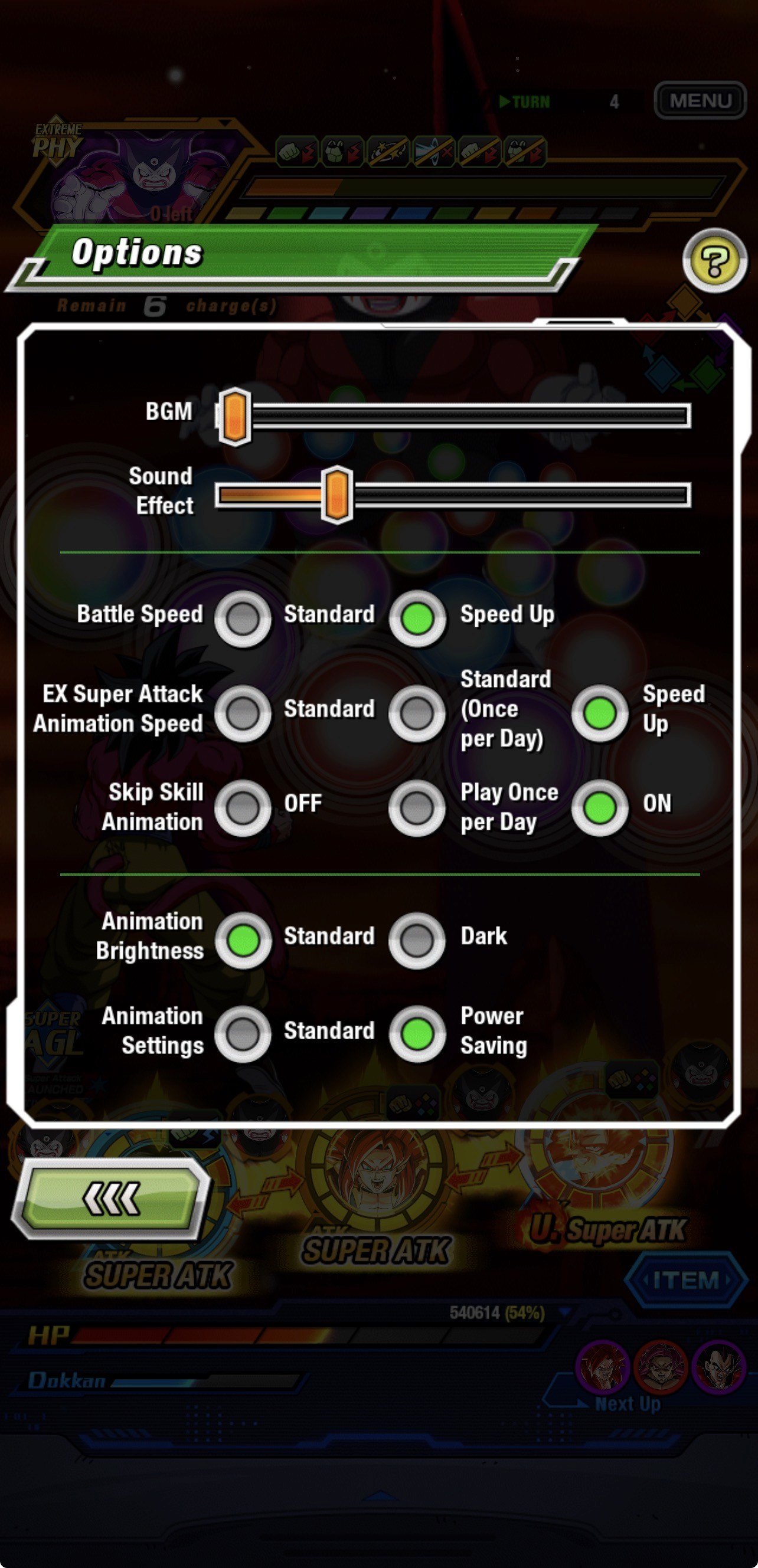
Some units active skill animations, you can skip through a setting in the settings menu. However there are some circumstances where a unit does not fall under this restriction making their animation play.
The character I will use to display this issue is AGL LR Super Saiyan 3 Goku (Golden Giant Ape) (GT) → Super Saiyan 4 Goku (GT).
Upon finishing the same turn his Active Skill was activated, an animation will begin to play after the turn completion. Currently there is no setting the player can change that will allow for this animation to be skipped. This ends up taking too much time and there is a easy solution to this issue.
The Solution
There is already a option for skipping the active skill along with standby, and reverse-exchange skills.
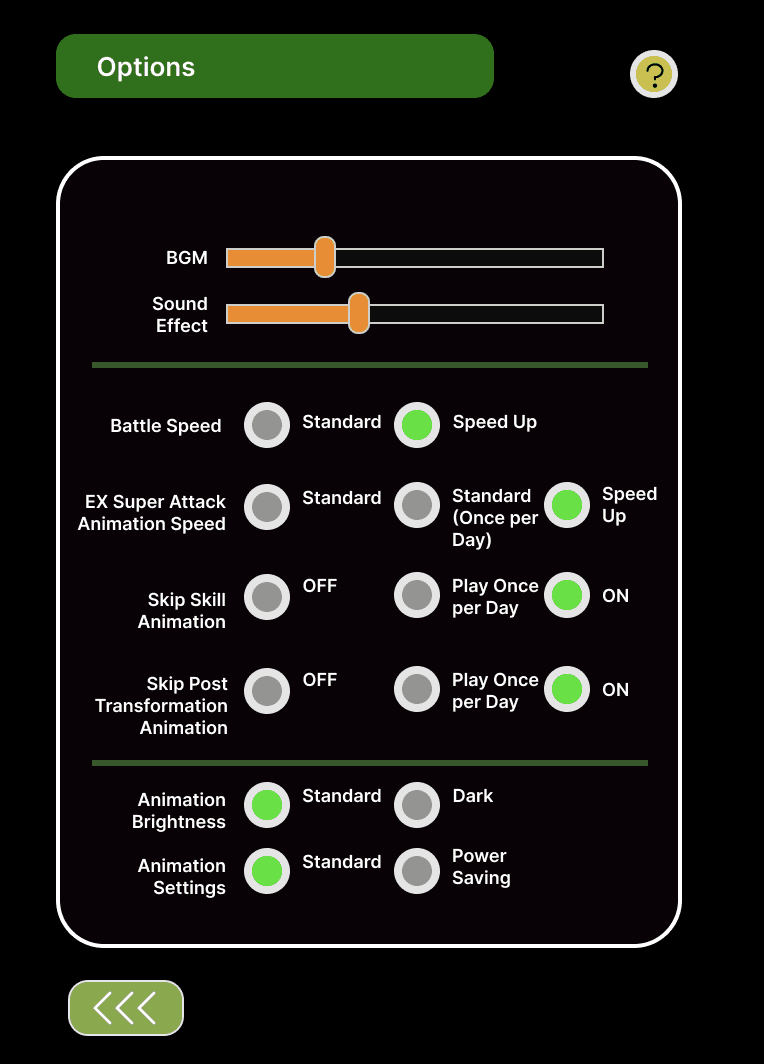
So in my solution, I added another option titled "Skip Post Transformation Animation". This new change will remove the need to sit through characters animations that do not fall under the games "Skip Skill Animation" setting. This will bring the player immediately back into the action where they can continue to play.
Adjustment to Naming Convention for Specific Characters.
Each character in the game has a set of ‘links’. What these links do is they provide buffs to characters who share these same links when placed next to each other. Characters can have 1 or all links active.
The problem that I will be addressing is there are certain characters in the game who share the same name, when they shouldn’t due to their transformation state being completely different. Characters who share the same name are not able to receive the buffs from the links each character possess.
Fusion Zamasu vs. Half-Corrupted Fusion Zamasu
As shown in the video, the Zamasu’s when placed next to each other do not receive the link skill buffs which they should be getting. This is because both characters are named “Fusion Zamasu” which is incorrect.
These units even thought they are the same character, their naming convention is wrong due to the fact of their different transformation state.
The Solution
The correct solution would be to give the two characters the correct names. Changing the names of these two characters will allow players to run them together allowing them to link giving them numerous buffs.
The one on the left will continue being "Fusion Zamasu" and the one on the right will change from "Fusion Zamasu —> Half-Corrupted Fusion Zamasu"
Gacha System Adjustment
A "Gacha" typically seen in Gacha games, is where players can spend in-game currency to purchase random characters, gear, or items.
The current system even though it is effective, there is a flaw that many players of the game have many complaints about, which if fixed would improve the system bettering the satisfaction of players.
Skip Button Addition
A competing title, Dragon Ball Legends, already implements this useful feature that Dokkan Battle currently lacks: the ability to skip animations. In Legends, players can bypass lengthy animations with a simple skip button, allowing for a faster and more streamlined experience.
Dokkan Battle would greatly benefit from a similar feature. Currently, players are required to sit through animations, which slows down gameplay. The issue becomes even more frustrating due to the limited character box space an account can have, as players may need to pause their progress to sell unwanted characters.
Result
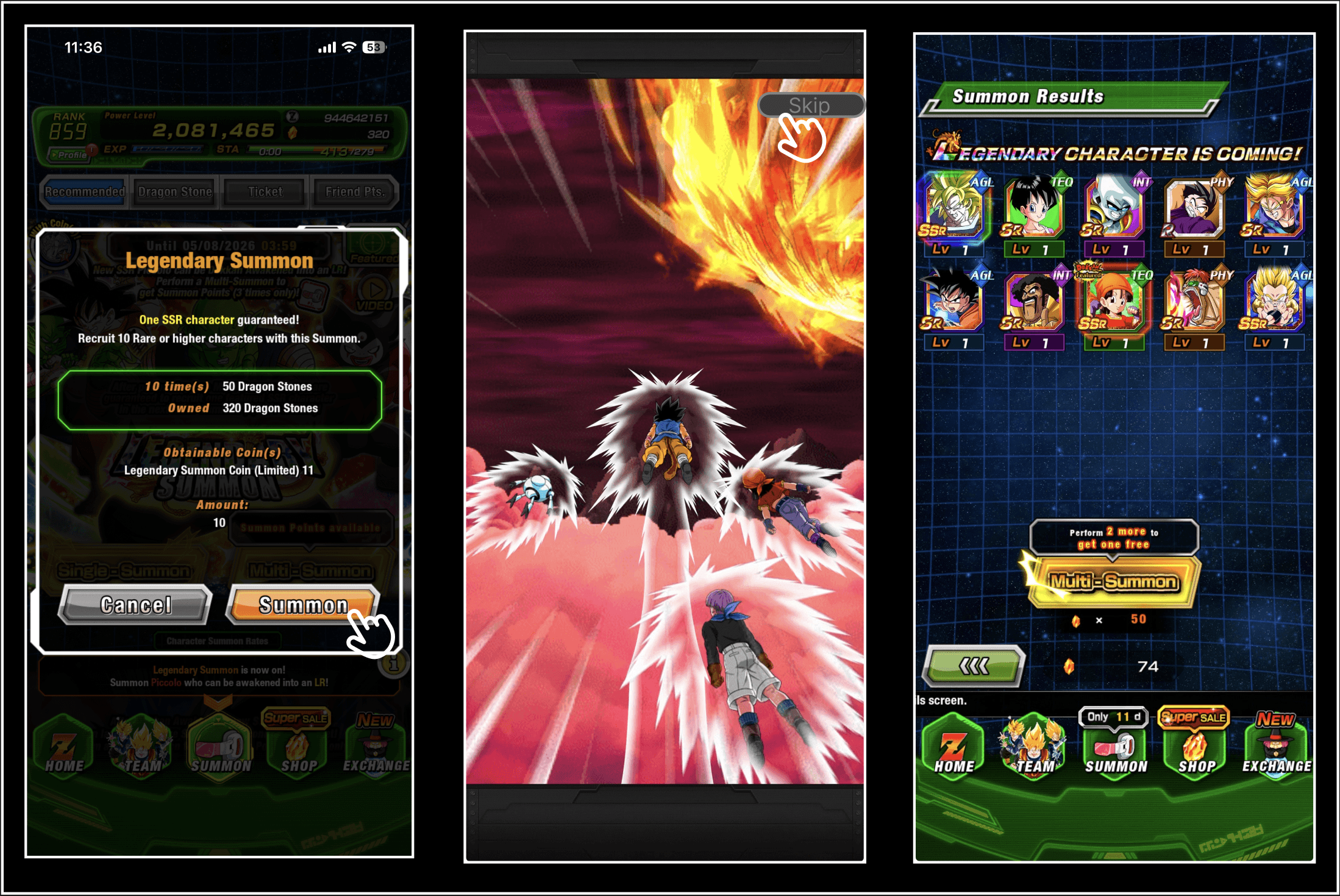
Adding an animation skip option would significantly improve pacing and overall user experience. The visual below aims to show the new summoning process a player would take with the addition of a skip button.
Box Space Adjustment
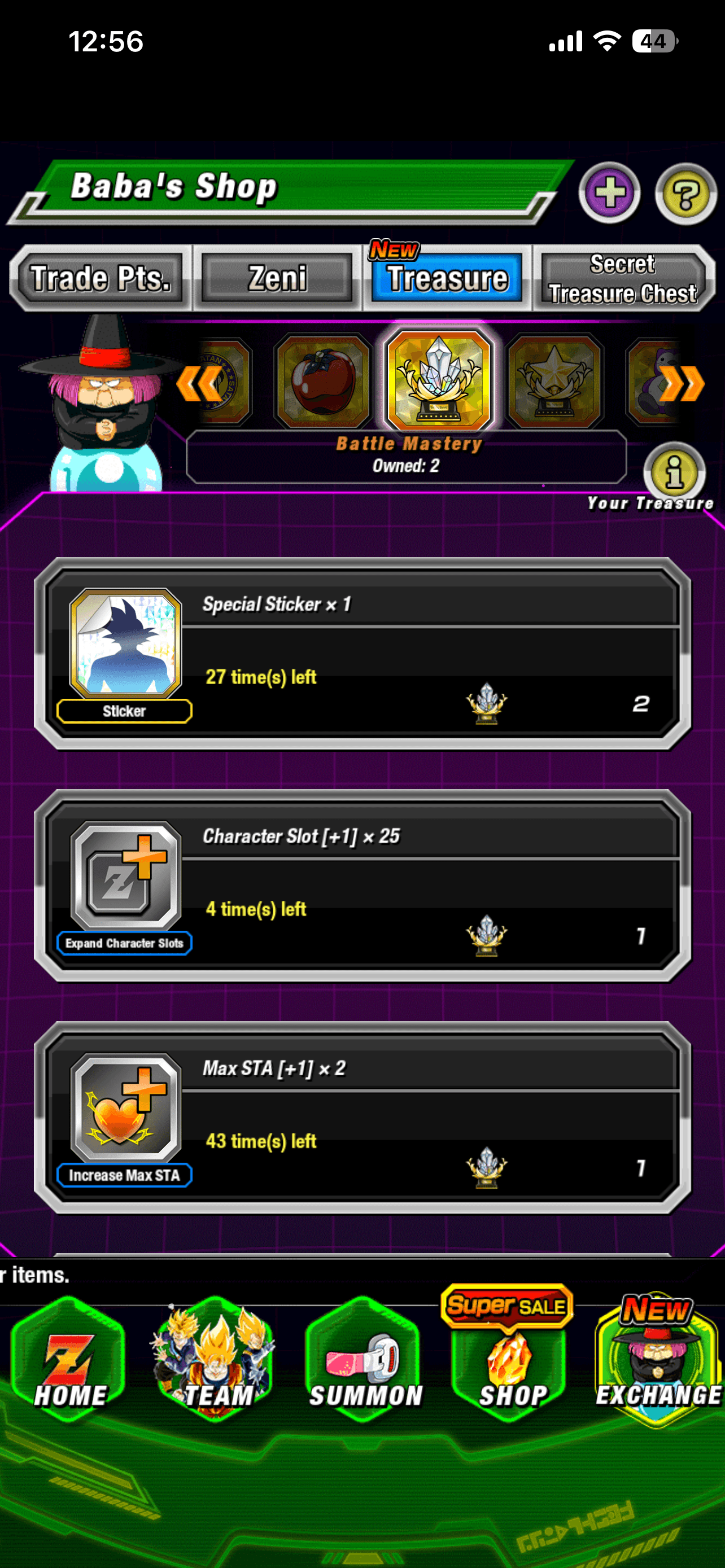
All players—regardless of experience level—must manage a limited amount of box (inventory) space. Once this limit is exceeded, progression is effectively halted, preventing players from summoning new units, participating in events, or completing stages.
To continue gameplay, the player must sell any unwanted characters to resume gameplay. Even though this system is functional, it creates unnecessary player frustration with many alternatives.
Solution
There are a couple of approaches they can take to solve this problem.
The first is by allowing players to buy in-game box space refreshing every week, removing players concern of running out of space.
The second is by increasing the base player box space to 10,000 a limit that a player is unlikely to hit.
Incomparable Radiance [Super Vegito]
Unprecedented Miracle [Super Gogeta]